“Ever set a health goal only to realize you forgot all about it halfway through your Netflix binge? Yeah, us too.”
If you’ve been struggling to stay consistent with your health goals—or just need someone (or something) to nag you into drinking more water—here’s some good news. Smart clocks are stepping up as the unsung heroes of health tracking reminders. Yes, seriously.
In this post, we’ll dive into how smart clocks can transform the way you approach health tracking reminders. You’ll learn:
- Why traditional reminder methods fail miserably.
- How to customize smart clock features for maximum impact.
- Best practices and real-life examples of people crushing their goals with tech-enabled nudges.
Table of Contents
- Why Health Tracking Reminders Matter
- Step-by-Step Guide to Setting Up Smart Clock Reminders
- Tips for Maximizing Your Smart Clock Experience
- Examples of Success Stories
- FAQs About Smart Clocks and Health Tracking Reminders
Key Takeaways
- Smart clocks go beyond telling time—they help keep you accountable with personalized health tracking reminders.
- You don’t need to be a tech wizard; setting up reminders is easier than you think.
- Avoid overloading yourself with notifications—focus on quality over quantity.
Why Do Health Tracking Reminders Matter?
We’ve all been there: jotting down New Year’s resolutions on January 1st, only to abandon them by mid-February. According to studies, 80% of people give up on their fitness or wellness goals within six weeks. Why does this happen? Life gets busy, distractions pile up, and our intentions get buried under endless to-dos.
Enter health tracking reminders. These aren’t just random pings—they’re strategic alerts designed to keep you focused on what truly matters. And when paired with smart clocks, they take things to another level. Imagine waking up each morning with gentle nudges reminding you to stretch, staying hydrated throughout the day, or even winding down properly at night.
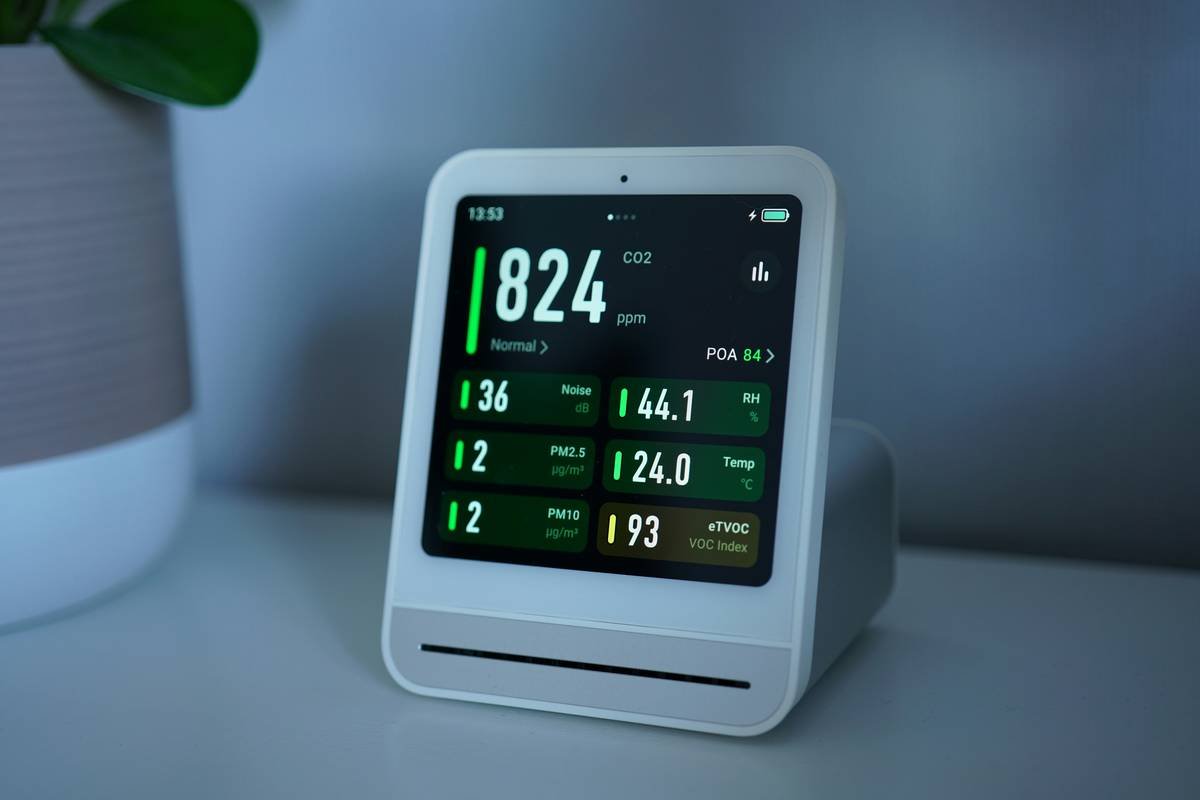
How to Set Up Health Tracking Reminders on Your Smart Clock
Optimist You:* “This sounds easy enough!”
Grumpy You:* “Ugh, fine—but only if I don’t have to read an instruction manual.”
Luckily, most modern smart clocks make setup straightforward. Here’s how to do it:
Step 1: Choose the Right App Integration
Start by integrating apps that align with your goals, such as Apple Health, Google Fit, or third-party habit trackers like Habitica. Most smart clocks sync seamlessly with these platforms.
Step 2: Customize Alarm Tones and Notifications
Nobody wants their hydration alert to sound like a fire alarm. Pick soothing tones or voice prompts tailored to different activities (e.g., calming music for meditation).
Step 3: Program Recurring Alerts
Set daily, weekly, or bi-weekly reminders based on your schedule. For instance, assign hydration cues every two hours and bedtime wind-down notices 30 minutes before sleep.
Step 4: Enable Location-Based Reminders (Optional)
Some advanced models let you trigger reminders based on location. Need motivation to grab a quick walk during lunch? Program your clock to buzz once you leave the office.
Tips for Maximizing Your Smart Clock Experience
- Personalize It: Adjust settings so the reminders feel supportive rather than annoying.
- Limit Notification Overload: Only enable essential alerts; otherwise, you risk tuning out altogether.
- Schedule Downtime: Turn off non-critical reminders during meals or deep work sessions.
- Test Voice Commands: If your clock supports voice interaction, practice hands-free queries (“What’s my step count today?”).
Real-Life Examples: From Couch Potato to Wellness Warrior
Case Study #1: Sarah’s 6-Month Transformation
Sarah used her Echo Show’s health tracking reminders to stick to a morning yoga routine and drink eight glasses of water daily. Within months, she reported improved energy levels and reduced back pain.
Case Study #2: John’s Sleep Revolution
A lifelong insomniac, John configured his smart clock to guide him through a 30-minute wind-down ritual. The result? Better sleep quality and fewer groggy mornings.

FAQs About Smart Clocks and Health Tracking Reminders
Are smart clocks worth investing in?
Absolutely—if you prioritize convenience, automation, and consistency in achieving health goals.
Can I use multiple apps simultaneously?
Yes! Most smart clocks support multi-app syncing, allowing comprehensive coverage for various needs.
Do I really need yet another device?
Nope—not necessarily. Many existing smart speakers already double as clocks, so check compatibility first!
What’s one terrible tip?
Don’t rely solely on smart clocks without pairing them with intentional action. Tech is great, but discipline still comes from YOU.
Rant Section: Stop Using Obnoxious Alarms!
For the love of everything holy, please stop using jarring alarms for health reminders. No one deserves to be blasted awake by a siren while sipping coffee. Use chimes, soft melodies, or even funny voices instead—it makes a world of difference!
Conclusion
Smart clocks are quietly revolutionizing self-care routines with their ability to deliver timely, actionable health tracking reminders. By following the steps outlined above and avoiding common pitfalls, you can harness this powerful tool to boost productivity and well-being alike.
So go ahead—set those reminders, drink that water, and crush your goals. Oh, and treat yourself to coffee afterward. Because optimism always tastes better with caffeine.
Like a Tamagotchi, your SEO strategy thrives best with consistent care. Now go forth and conquer!